 PGPKit
pgp for your phone
PGP that works with everyone else’s.
Encrypt, decrypt and sign OpenPGP messages on iPhone and Android, readable by GnuPG, Thunderbird and Proton Mail.
- Free to use
- Pro $9.99 once, never a subscription
- No account
- Works offline
No Google Play on your phone? Download the APK.
interop
Tested against four other OpenPGP implementations.
Every build round-trips keys, messages and signatures through each of these, live, in its test suite. A message PGPKit sends is one they can read, and the other way round. Keys it creates are standard OpenPGP v4, the version GnuPG reads.
| IMPLEMENTATION | WHAT USES IT | CHECKED |
|---|---|---|
| GnuPG | gpg on Linux, macOS and Windows; Kleopatra; most mail plug-ins | ✓ every build |
| RNP | The OpenPGP engine inside Mozilla Thunderbird | ✓ every build |
| GopenPGP | The OpenPGP engine inside Proton Mail | ✓ every build |
| Sequoia | sq, and a growing number of Linux tools | ✓ every build |
how it works
Three steps, then it is just your mail app.
Make your key
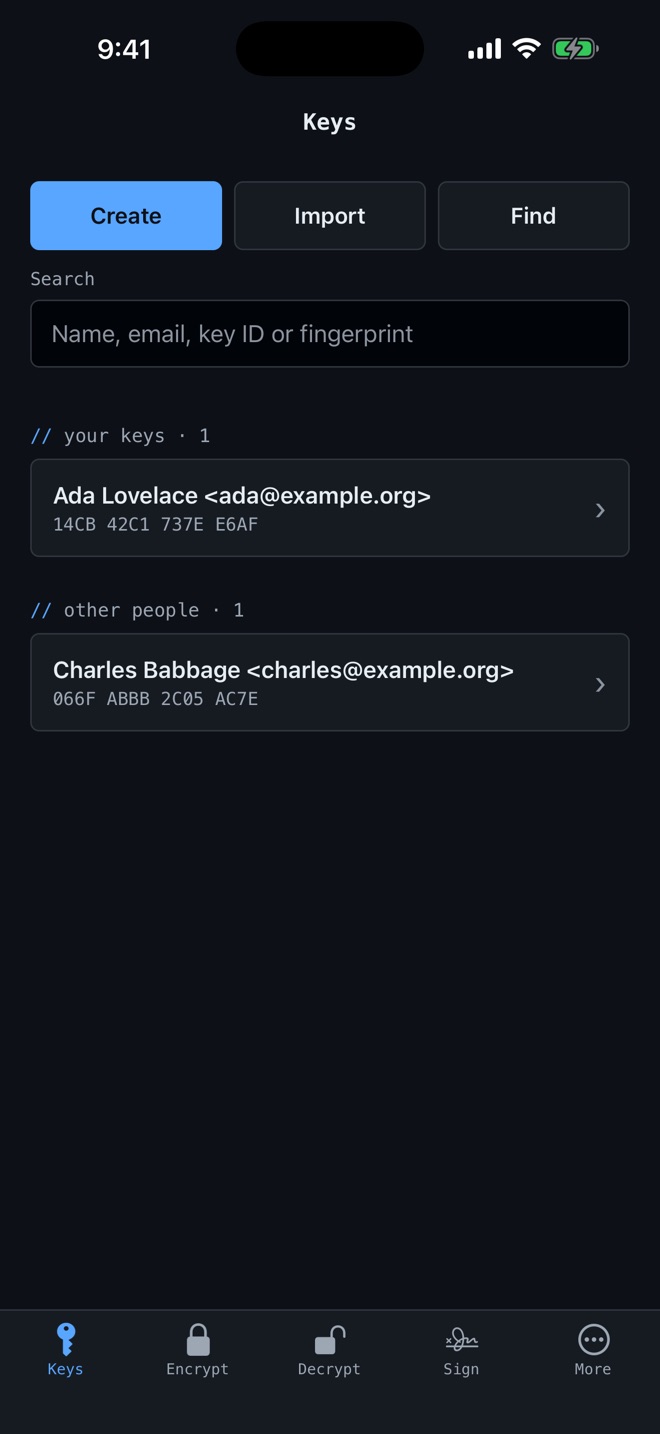
Create one in seconds, or import the key you already use. PGPKit walks you straight into a backup, so your key is never the only copy.
Swap public keys
Share yours from the key’s page. Import theirs from a message, a file or a paste — or, with Pro, find it by email address.
Encrypt, decrypt, sign
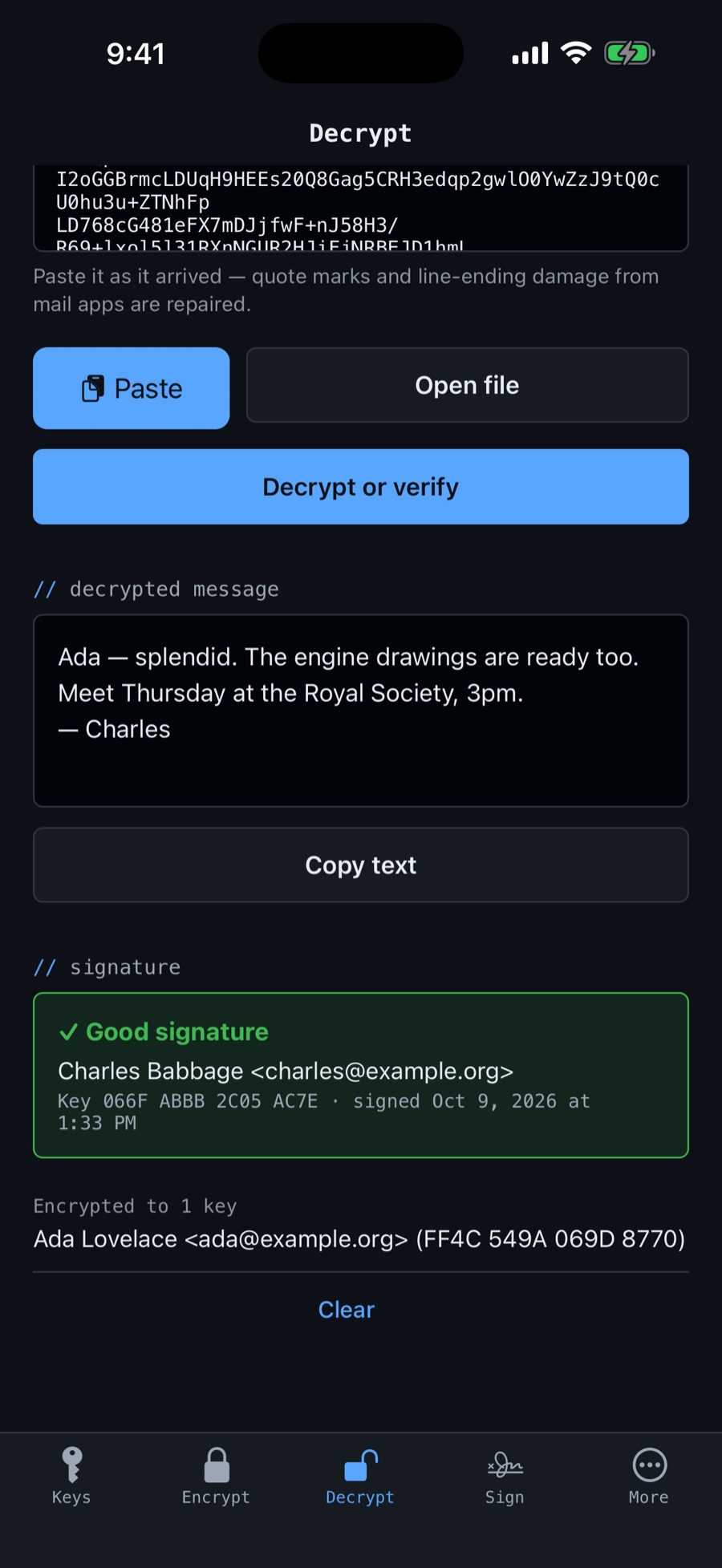
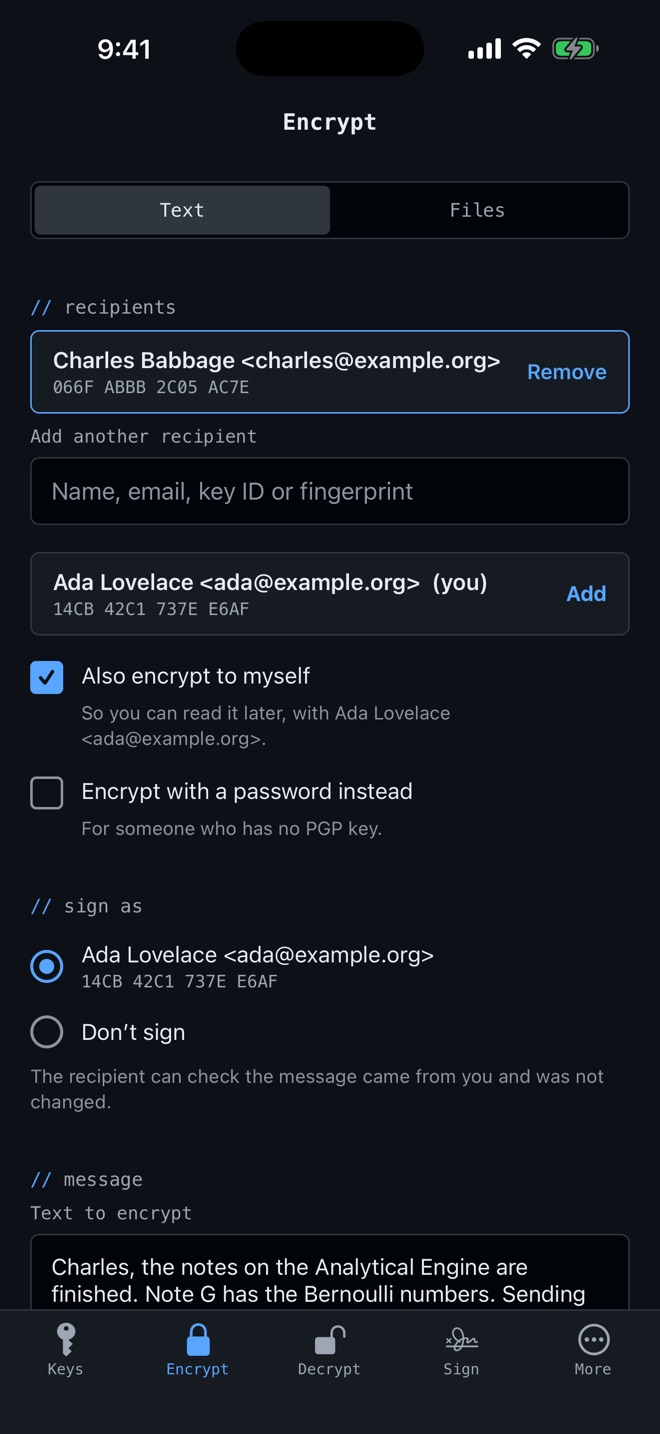
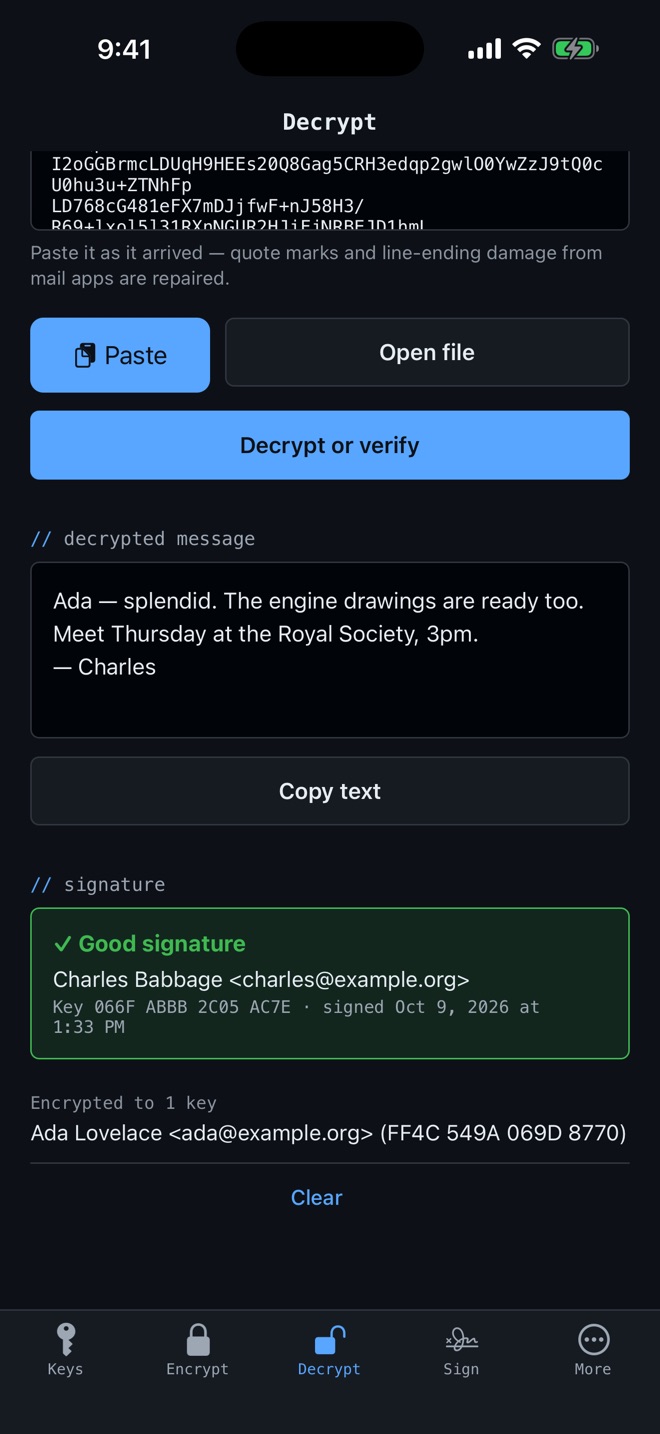
Paste a message from any mail app, or share text to PGPKit. It works out what it is, repairs mail-app damage and tells you who signed it.
paste anything
Mail-app damage, repaired
Paste a message as it arrived. Stray quote marks, broken line endings and extra spaces are fixed, and PGPKit works out whether it is a message, a signature or a key.
errors
Says what went wrong
Not “decryption failed”, but which key the message was encrypted to, whether the passphrase was wrong, or whether the file was damaged on the way, and what to do next.
backups
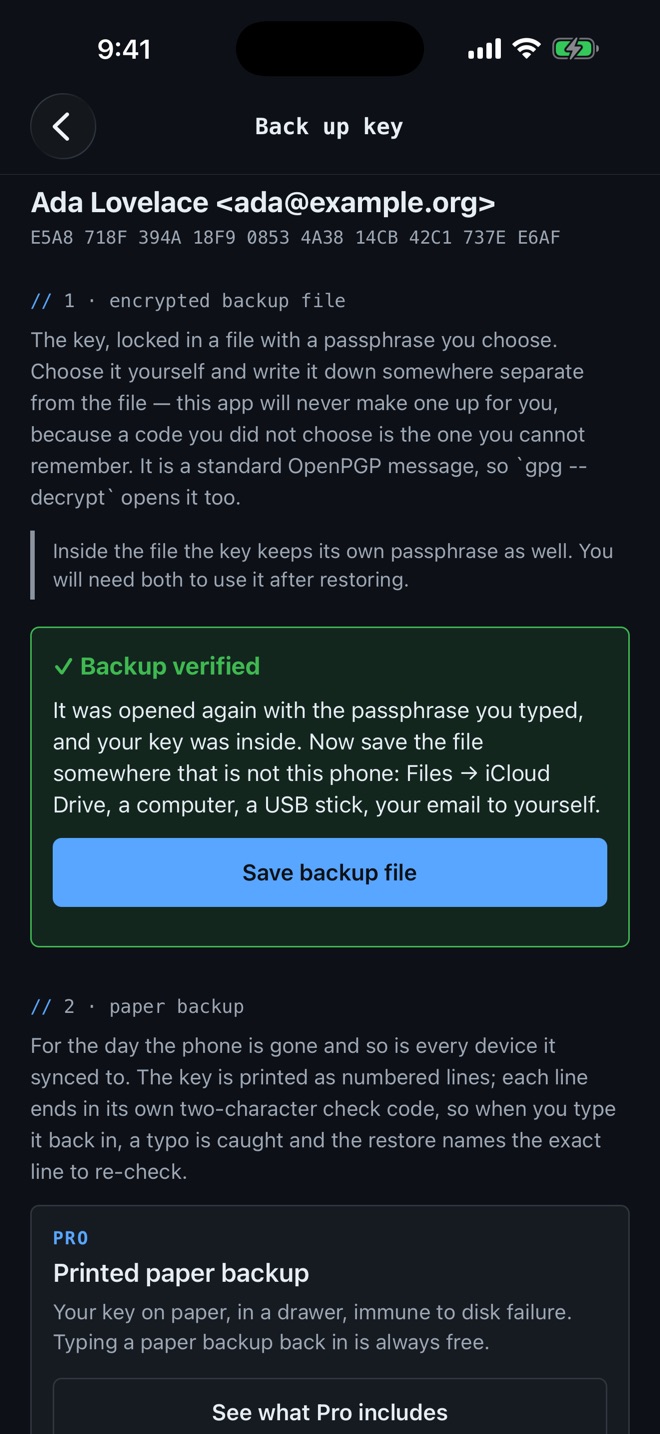
Your key is never the only copy
A new key goes straight to a backup, protected by a passphrase you choose and checked by opening it again before you save it. GnuPG can restore it too.
unlock
Face or fingerprint instead of typing
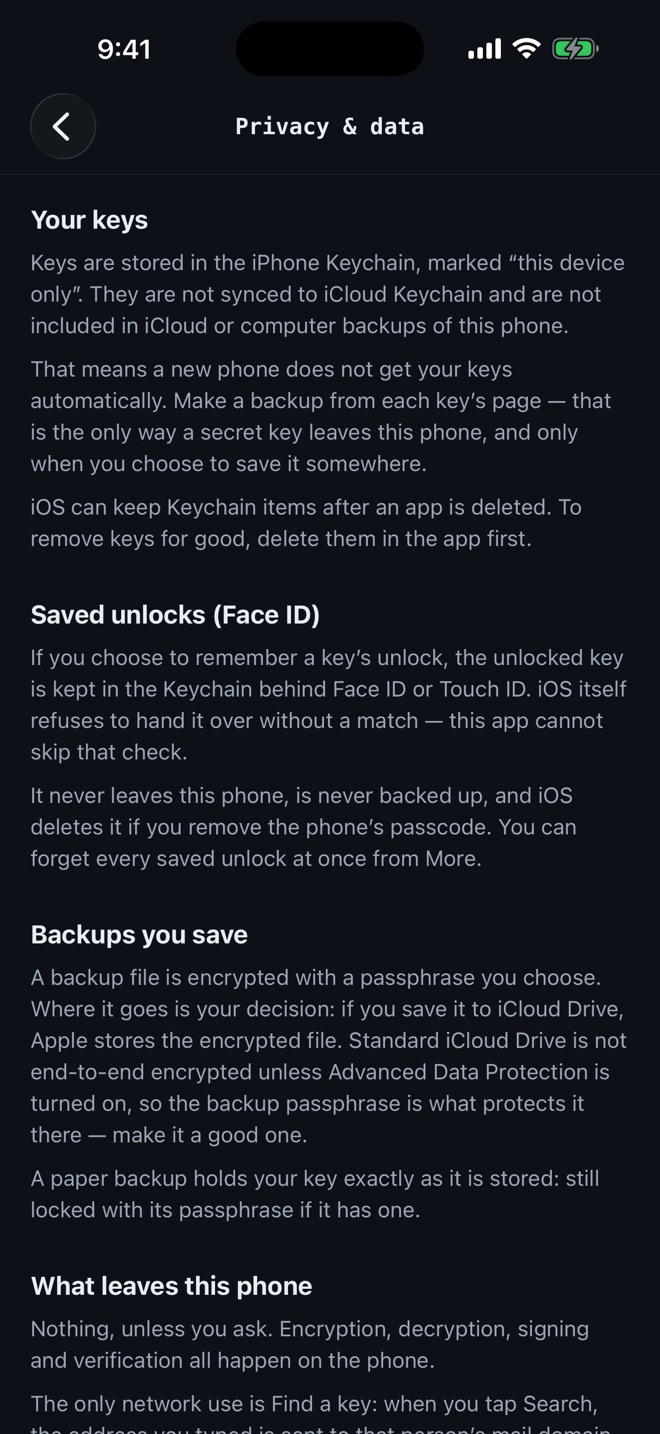
Optionally keep a key unlocked behind Face ID, Touch ID or your fingerprint, in the phone’s secure hardware. Never synced, never backed up, and you choose how long.
privacy
Nothing to collect
No account, no analytics, no ads, no crash reporting. Keys never leave the phone unless you export them. The one-line “Made with PGPKit” note turns off in a switch.
languages
Eight languages
English, Deutsch, Français, Español, Italiano, Português, 简体中文 and 繁體中文, using the same words GnuPG and Kleopatra use in each.
screens
What it looks like.
pricing
Free to use. Pro once, if you want more.
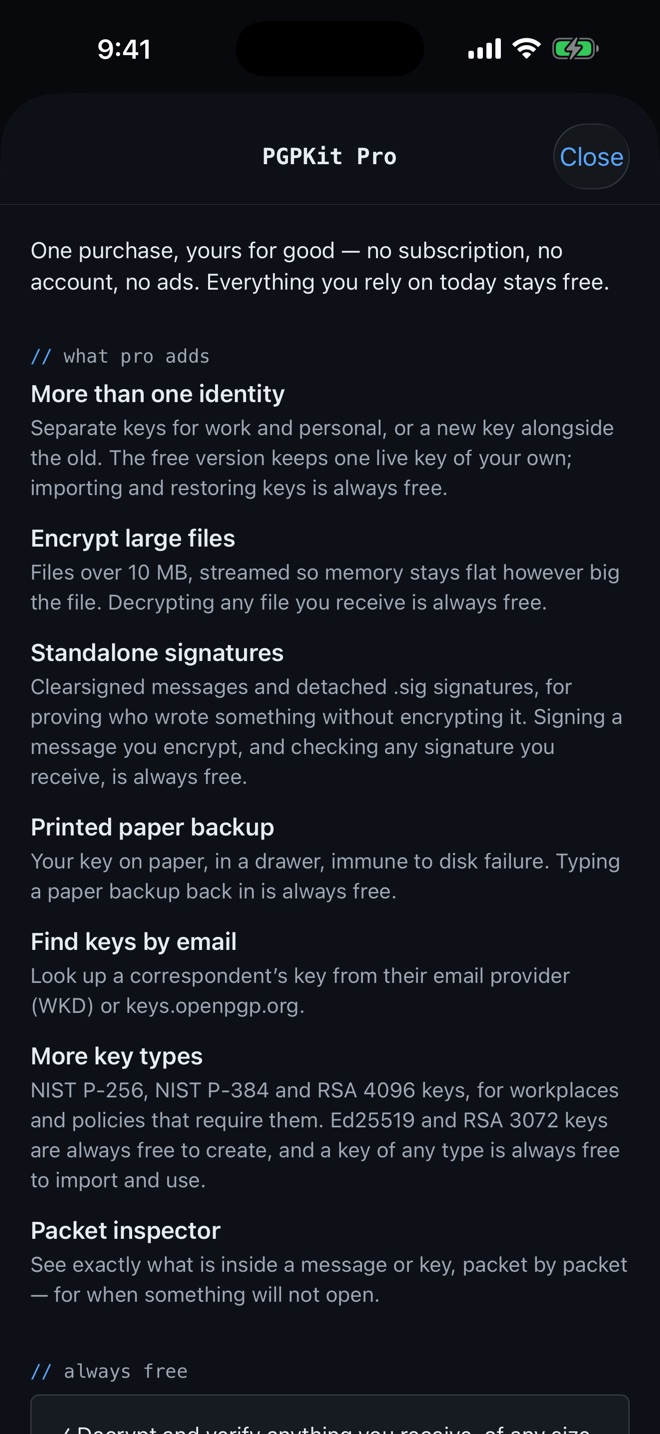
Pro adds tools for making more. Everything you need to read and keep your own data stays free, forever.
PGPKit
Free
- Your own key, Ed25519 or RSA 3072
- Encrypt messages, signed as you
- Decrypt and verify anything you receive, of any size
- Import keys, and restore backups from a file or paper
- Encrypted backups, and exporting your key
- Face ID, Touch ID or fingerprint unlock
PGPKit Pro
$9.99 one time · no subscription
- More than one identity of your own
- Encrypting files over 10 MB
- Standalone signatures, clearsigned and detached
- Printed paper backups
- Finding a key by email address
- The packet inspector
- NIST P-256, P-384 and RSA 4096 keys
Price in US dollars; the App Store and Google Play show the local price. The Android APK for phones without Google Play includes Pro.
faq
Questions people ask first.
Will people using GnuPG, Thunderbird or Proton be able to read my messages?
Yes. Every build is tested against GnuPG, RNP (Thunderbird’s engine), GopenPGP (Proton’s engine) and Sequoia, in both directions. Keys PGPKit creates are OpenPGP v4, which all of them read.
Where are my keys stored?
Only on your phone, encrypted by the iPhone Keychain or the Android Keystore, and kept out of iCloud and Google backups. Nothing is sent to us — we have no servers that receive anything from the app.
What happens if I lose my phone?
Restore your backup on the new one. PGPKit makes you a backup when you create a key, protected by a passphrase you choose, and checks it opens before you save it. The backup is a standard OpenPGP file, so GnuPG can open it too.
Can I use my existing key?
Yes. Import it from a file or paste it in, including RSA and the NIST and Brainpool curves. Importing and using any key is free.
Does it need an internet connection?
No. Everything happens on the phone. The only network use is when you choose to find someone’s key by email address.
Is Pro a subscription?
No. It is one purchase, $9.99 in the US, and yours for good. Restore it on a new phone with the same Apple or Google account.
More answers on the support page.
Encrypted mail, without the fight.
Free on Android today. iPhone is on its way.